



What Does “Puff Clear” Mean on a Vape? A 2026 Guide to Screen Symbols
Adults 21+ only. You glance down at your vape and the display says “Puff Clear” — or maybe just “Clear” or “Puff Reset”. Your first thought is probably that something has gone wrong. It hasn’t. Puff Clear means the puff counter has been set back to zero. It is one of the most common messages you will see on a screen-equipped device, and it is a normal, built-in feature rather than a fault.
This guide explains what the message means, why a counter resets, how to reset it yourself where supported, and how to read the other symbols a vape screen can show. Once you can read the display, a confusing message becomes useful information.
What is a puff counter, really?
Many modern vapes with a display track how many times you have inhaled. A draw longer than roughly one second is counted as one puff, and the number ticks upward on the screen. On most devices the counter tops out at 9,999 and either stops there or loops back to zero.
The counter is not a precise fuel gauge. It is useful for working out how many puffs you get from a pod, a coil or a full charge, but it does not reliably tell you how much e-liquid remains. “Puff Clear” is about data, not the physical state of the device.
What “Puff Clear” actually means
The phrase tends to appear in three situations, all harmless:
- As a menu option — you select “Puff Clear” when you want to start a fresh count. Confirming with “Yes” sets the number back to 0.
- As a confirmation prompt — some devices ask “Puff Clear? Yes / No” first. Choosing “No” cancels the reset and keeps your history.
- As a completion message — after a reset, the screen may briefly flash “Puff Clear” to confirm the counter was zeroed.
Wording varies between brands. “Puff Reset”, “Clear Puff” and “Puff Clear” all describe the same action: erasing the stored puff data. If you want the broader background on the original phrase, our guide to what puff clear means on a vape goes into the history of the term.
Common vape screen symbols and messages decoded
A display can show more than just a number. Use this table as a general map — the exact wording depends on the manufacturer, so treat your model’s manual as the final authority.
| Symbol / message | Usual meaning | What to do |
|---|---|---|
| Puff Clear / Puff Reset | Puff counter reset to zero | Nothing — take a draw to watch it count again. |
| Battery icon / low battery | Charge level, or charge running low | Recharge with a standard 5V source. |
| Resistance value (e.g. 0.8Ω) | Coil / atomizer resistance detected | Informational; a wildly wrong value suggests a poor connection. |
| No atomizer / No coil | Coil or pod not detected | Reseat the pod and clean the contacts. |
| Short circuit / protection | Safety circuit has cut power | Stop, dry the mouthpiece, and check for damage. |
| Overtime / 10s cut-off | Draw lasted too long | Shorten draws and let the device cool. |
Why did my puff counter reset to zero?
A counter can return to zero for several reasons. Almost all of them are harmless:
- A manual reset — you, or someone else using the device, selected the Puff Clear option.
- After charging — on some models the control chip restarts when plugged in, clearing the count. Others keep it; the behaviour is device-specific.
- After fitting a new pod or coil — some devices auto-reset when a new pod is detected.
- A chip restart or brief power loss — a momentary interruption can wipe the stored number.
- The counter reached its maximum — at 9,999 (or 999 on smaller displays) some devices stop, others loop back to 0.
Quick check: if the device still produces normal vapour, takes a charge and shows no physical damage, take a few draws. If the number starts climbing again, everything is working as intended. If the screen stays blank or the device will not power up, our guide to safe charging checks covers cables, ports and temperature.
How to reset the puff counter yourself
On devices with a screen and buttons, the reset option is usually found in the settings menu:
- Wake the screen with one press of the button (or a small draw on draw-activated models).
- Open the settings menu — typically three quick presses, or a 2–3 second hold.
- Scroll to the option labelled Puff, Counter, Clear, or a gear icon.
- Select Puff Clear / Reset and confirm with Yes.
- The number should flash and return to 0000. Take one draw to confirm counting resumes.
Some pod systems use a shortcut instead — commonly holding Fire + Minus for about two seconds, or a slow triple-press. The exact sequence depends on the brand, so check the manual. Never open a sealed disposable to reach the chip: that risks a short circuit, a leaking battery and the loss of safety protection.
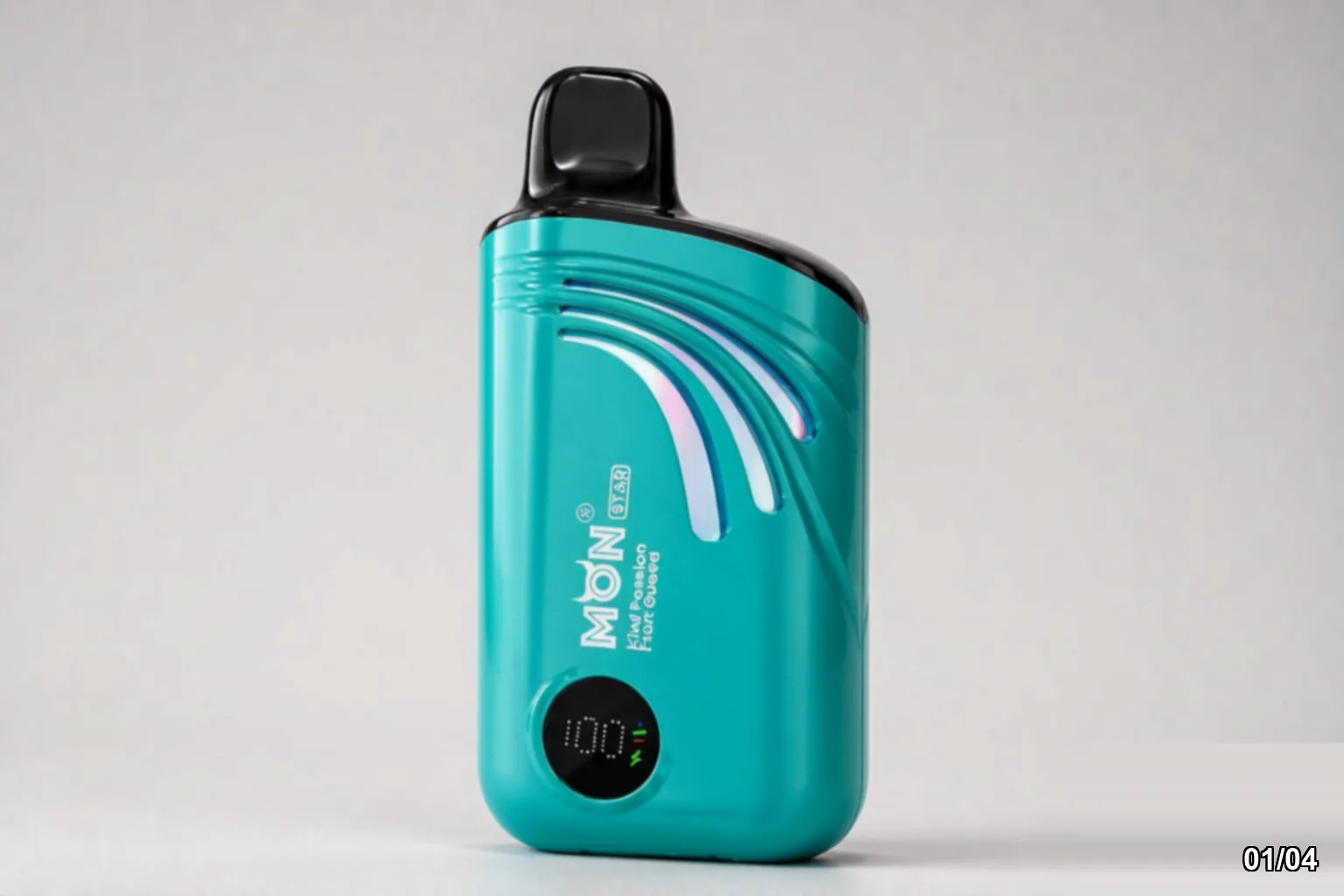
Reading the display on a real device: the MON STAR 50K
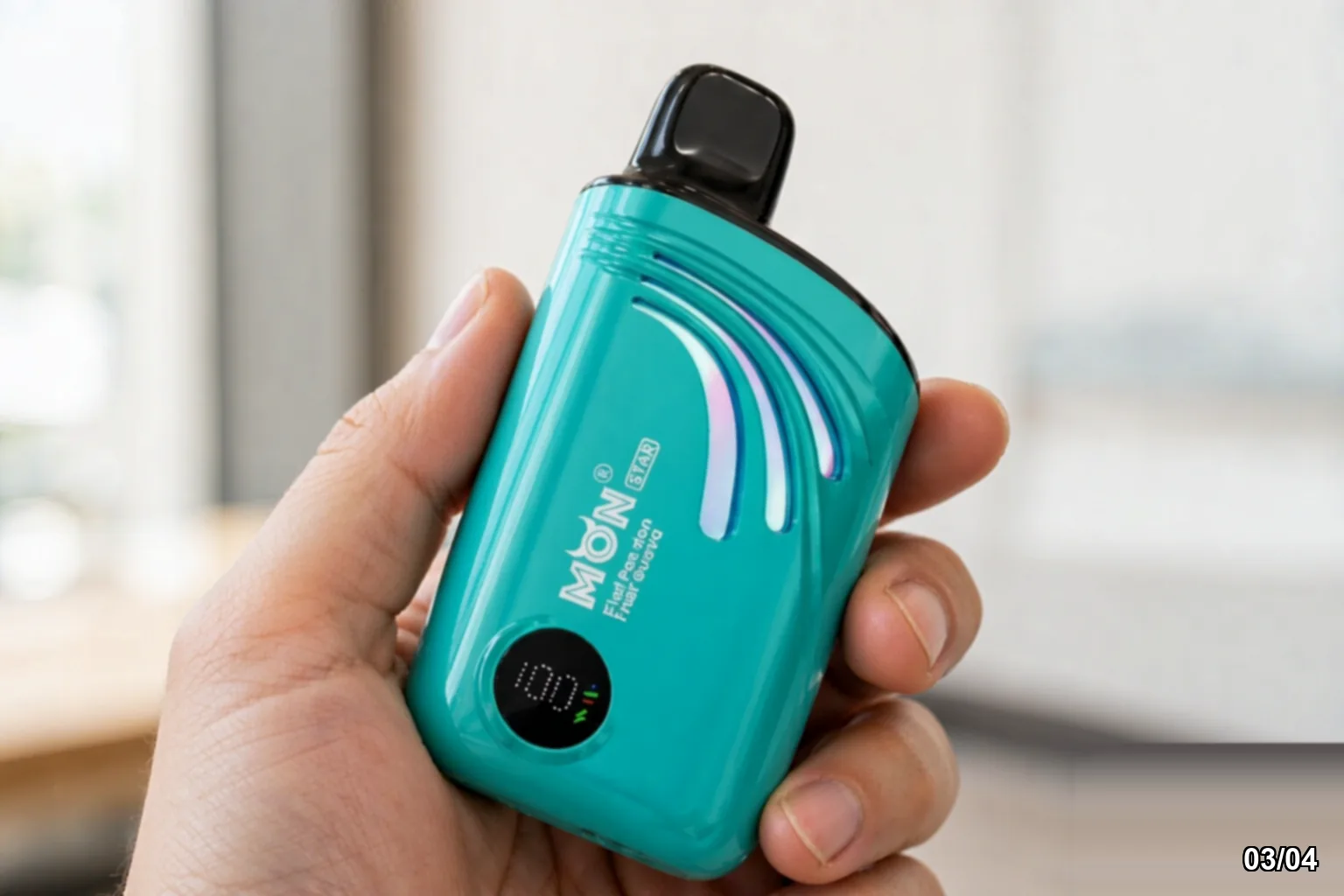
It helps to picture a real device. The MON STAR 50K is a good example of a screen-equipped format: a glossy, rounded teal body with a black rounded mouthpiece at the top, three pale curved arcs sweeping across the front, and the white italic MON mark with STAR 50K and small “Flavor encrypted” lettering. Near the bottom sits a small black circular display.
That circular screen is where messages like a battery indicator or a puff number appear. On a device of this kind the display gives you plainer information than a blinking light ever could: instead of guessing what three flashes mean, you can read the charge or count directly. If a reset message appears, it refers to the counter data only — the coil, the liquid and the battery are unaffected. The screen is a status channel, not a diagnostic tool, so keep the manual handy for the exact symbol legend.
Other symbols worth knowing
Beyond the puff count, a display usually reports a handful of recurring states. A battery icon or percentage shows remaining charge. A resistance value confirms the coil is detected. A lock icon means the fire button is disabled — often a deliberate travel setting that you can toggle with a short button sequence. Warning messages such as low battery, no atomizer or short circuit are protection cues rather than errors to ignore.
Screen language is not standardised across the industry, so treat any general guide as a starting point and confirm against the manual for your exact device. When a device has no screen, status is communicated by light instead — our guide to vape blinking light codes explains how to read those patterns.
When a screen message means stop, not troubleshoot
A reset counter is normally harmless, but some messages and physical signs should end the session immediately. Stop using the device if you notice any of the following alongside a screen warning:
- Unusual heat in the body or mouthpiece, or a swelling case
- A burning smell, smoke, or liquid reaching the battery area
- Heavy leaking from the mouthpiece or around the base
- A persistent burnt taste that a new pod does not fix
- A blank, unresponsive screen after a full charge and clean contacts
For sealed disposables there is no safe internal repair. Retire the device, keep it dry and out of direct sunlight, and hand it in at a battery or e-waste take-back point rather than household rubbish. Our guide to where to dispose of vape batteries explains the preparation steps and why the contacts should be protected before transport.
Why tracking puffs is actually useful
Resetting the counter is more than a cosmetic trick. Adults use it to measure how long a coil or pod lasts, to see how many puffs one full charge delivers, and to keep a simple daily total. Reset after fitting a new pod to learn its real lifespan; clear the count after charging to compare battery performance. A few seconds of menu navigation turns a vague impression into numbers you can act on.
The key is to keep expectations realistic. A counter cannot measure e-liquid precisely and it is not a health metric. Used sensibly, though, it is a handy reference that helps you understand your own device rather than guessing.

Frequently asked questions
What does “Puff Clear” mean on a vape?
It means the puff counter has been reset to zero. It is a normal menu function or confirmation message on screen-equipped devices, not an error and not a sign that the e-liquid is empty.
Is “Puff Clear” an error message?
No. It is a user-controlled status message that appears when you select the reset option, when a device confirms a reset, or on some models after charging or fitting a new pod. The device is functioning normally.
Why did my puff counter reset to zero?
Common reasons include a manual reset, a chip restart during charging, fitting a new pod, a brief power interruption, or the counter reaching its maximum and rolling over. Most causes are harmless.
Can you reset a puff counter on a disposable vape?
Only if it has a screen and a documented reset method. Sealed, draw-activated disposables with no screen usually cannot be reset by the user, because the chip controls the count.
How do I reset the puff counter on my vape?
Wake the screen, open the settings menu (often three quick presses or a short hold), scroll to Puff, Counter or Clear, select Puff Clear / Reset and confirm Yes. The number should return to 0000. Check your manual for the exact sequence.
What do other symbols on a vape screen mean?
Battery icons show charge level, resistance values show the coil, and messages such as low battery, no atomizer or short circuit are protection warnings. Symbols are brand-specific, so confirm them against the manual for your exact device.
Still unsure what a screen symbol means?
Start with the simple check: take a draw and see whether the number climbs again. If it does, the “Puff Clear” message was exactly what it sounds like — a fresh count. If the screen shows a repeated warning, match the wording against your model’s manual before trying anything more involved.
For adult vapers who prefer readable information to guessing, a screen-equipped device such as the MON STAR 50K makes status easy to check at a glance: glossy teal rounded body, black rounded mouthpiece, three curved front arcs and a circular display at the base. Explore the MONVAPERS range when replacing a spent device — and always recycle the old one responsibly.
For adults 21+ only. Contains nicotine, an addictive chemical. Follow your device manual and all local laws. This article is general information, not a substitute for the manufacturer’s instructions.