

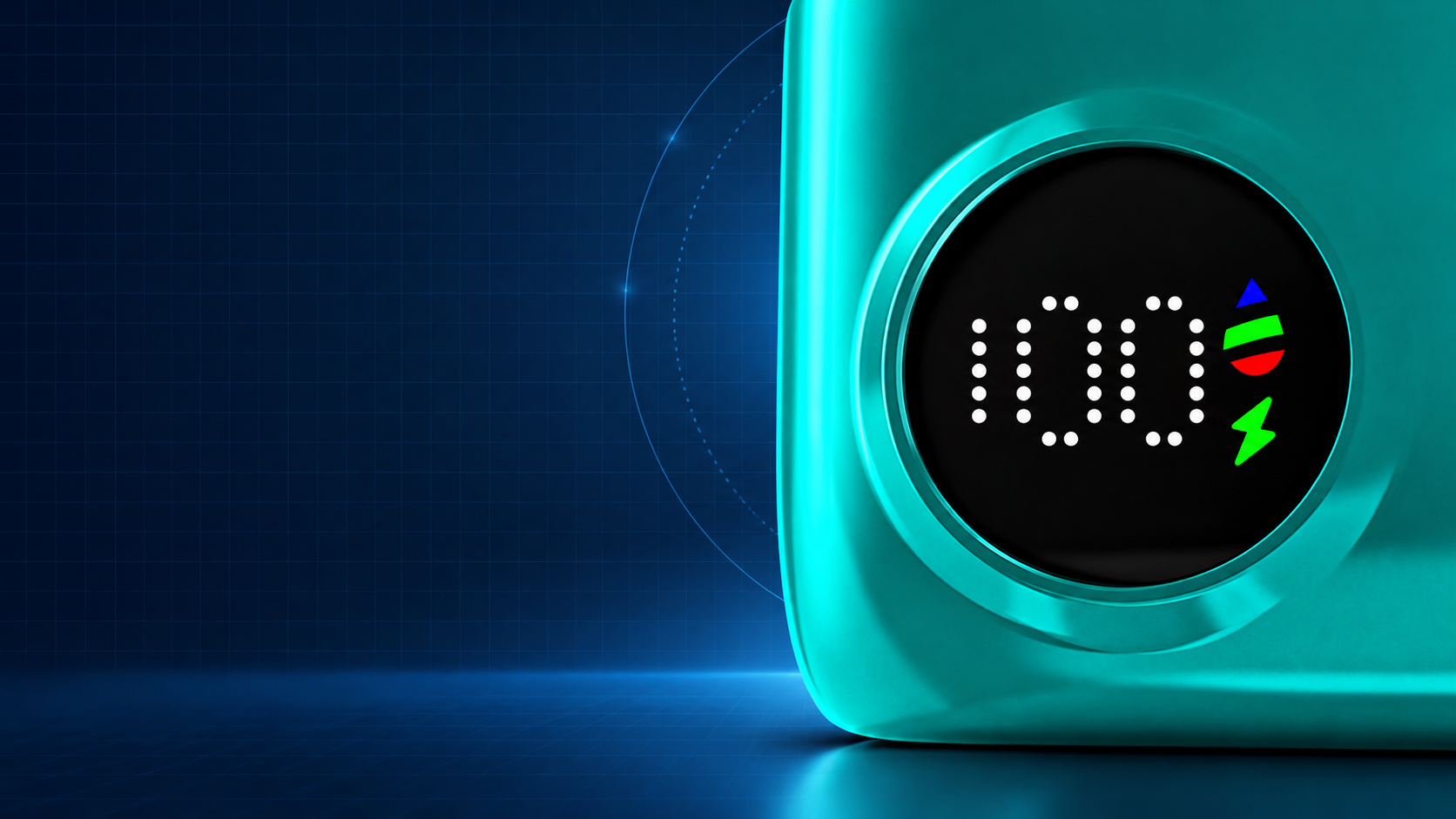
A display can make a rechargeable disposable vape easier to understand, but only if you know what the symbols are telling you.
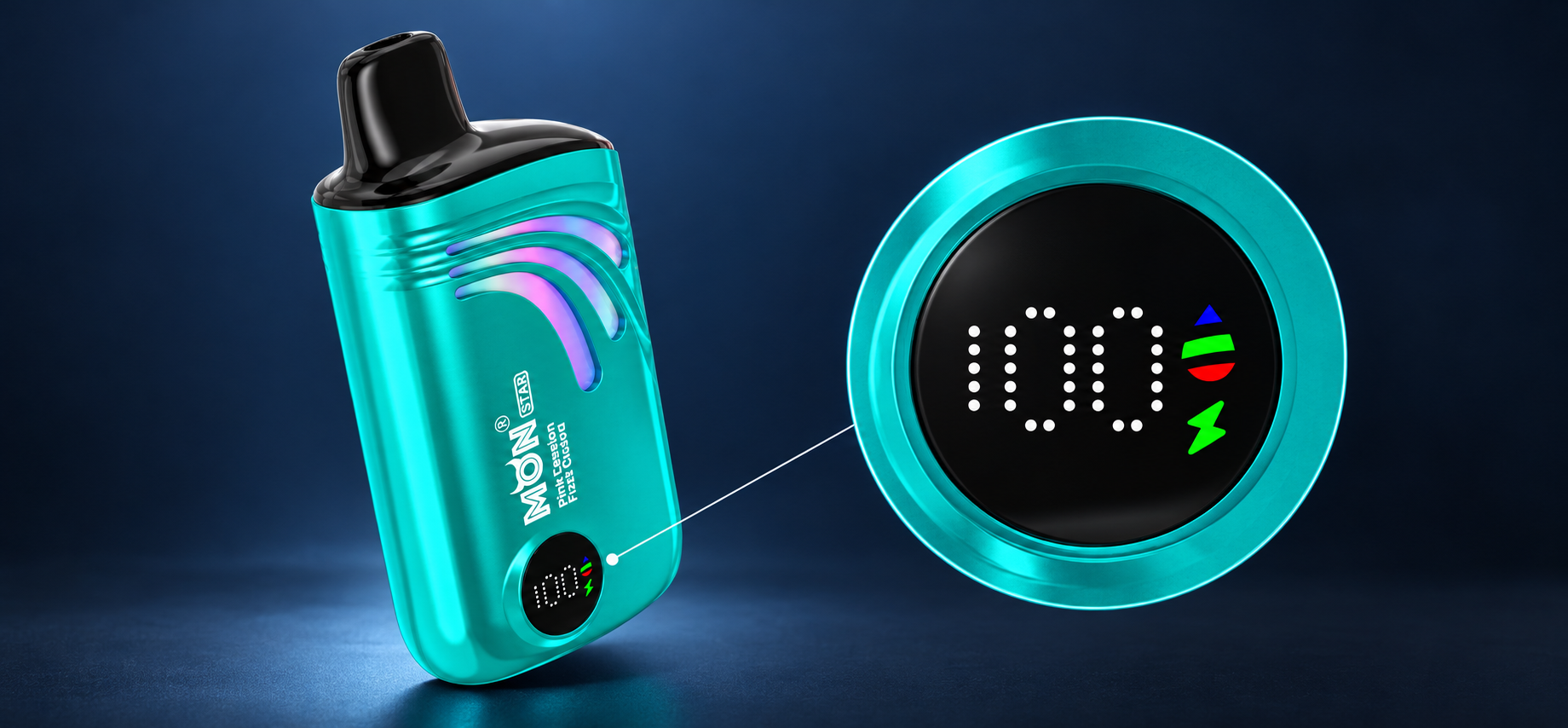
The MONSTAR 50K is designed for adult users who want to monitor the device instead of guessing when it needs charging or when the e-liquid is running low. Its display and indicator system can help you check the general status of the battery and e-liquid while using the device.
This guide explains how to read those indicators, what to do when the battery is low, and when you should stop using the device. It is written for adults who already use nicotine products. If you do not use nicotine, do not start. This product is not for anyone under 21.
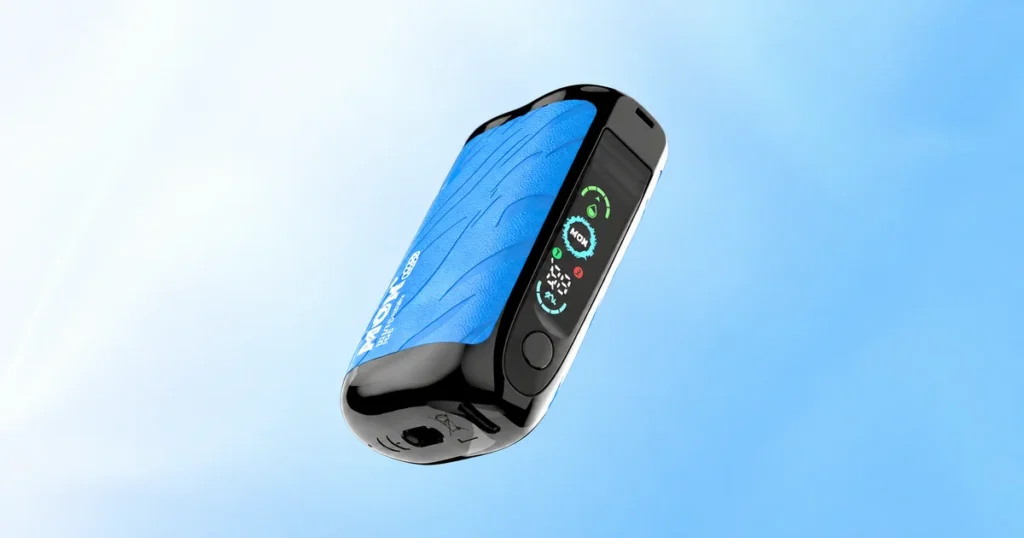
What does the MONSTAR 50K display show?
The display is intended to give you a quick overview of the device’s current condition. Depending on the production batch and regional version, the exact layout or icon design may vary, so always compare the screen with the information printed on your own packaging and user instructions.
The main information generally relates to:
- Battery status
- E-liquid status
- Charging status
- Device operating information
- Any warning or abnormal status shown by the device
The purpose of these indicators is not to provide a laboratory measurement. They are practical status references that help an adult user decide whether the device needs charging or whether it is nearing the end of its usable e-liquid supply.
MONSTAR 50K battery indicator
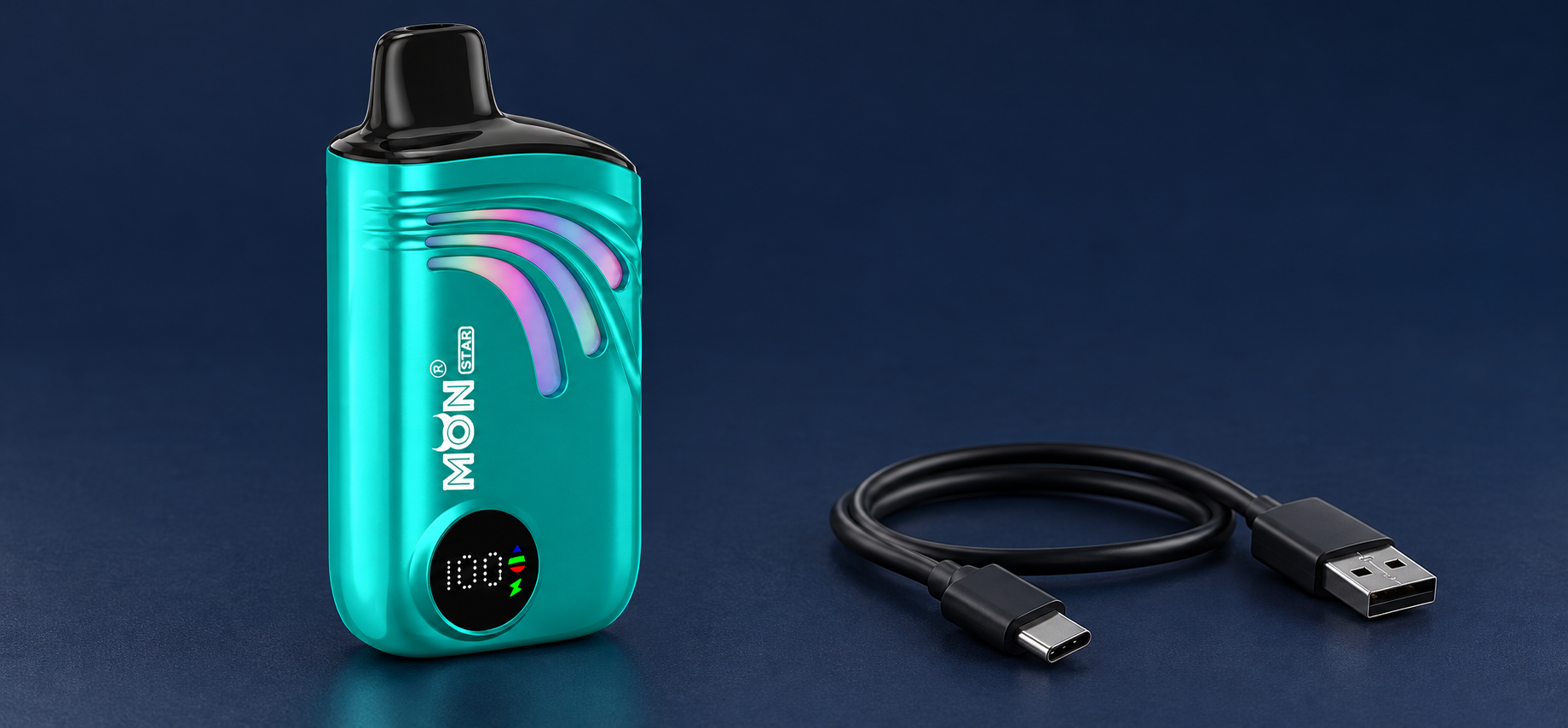
The battery indicator helps you understand how much charge remains in the internal rechargeable battery.
When the battery icon shows a high level, the device should have sufficient charge for normal use. As the indicator decreases, the device may need to be recharged before continued use.
A low battery can sometimes feel different during use. Vapour output may become less consistent, and the draw may feel weaker. That does not mean you should take longer or more frequent puffs. The safer response is to stop and charge the device according to the manufacturer’s instructions.
What to do when the battery is low
- Stop using the device if the output becomes unusually weak or inconsistent.
- Inspect the device for damage, moisture, leaking, or unusual heat.
- Use a suitable charging cable and power source.
- Place the device on a stable, non-flammable surface while charging.
- Do not leave the device charging unattended.
- Disconnect it when charging is complete.
- Do not charge a device that is damaged, wet, swollen, or overheating.
Never use a damaged cable or force a connector into the charging port. Do not modify the battery, open the device, or attempt an internal repair.
MONSTAR 50K e-liquid indicator
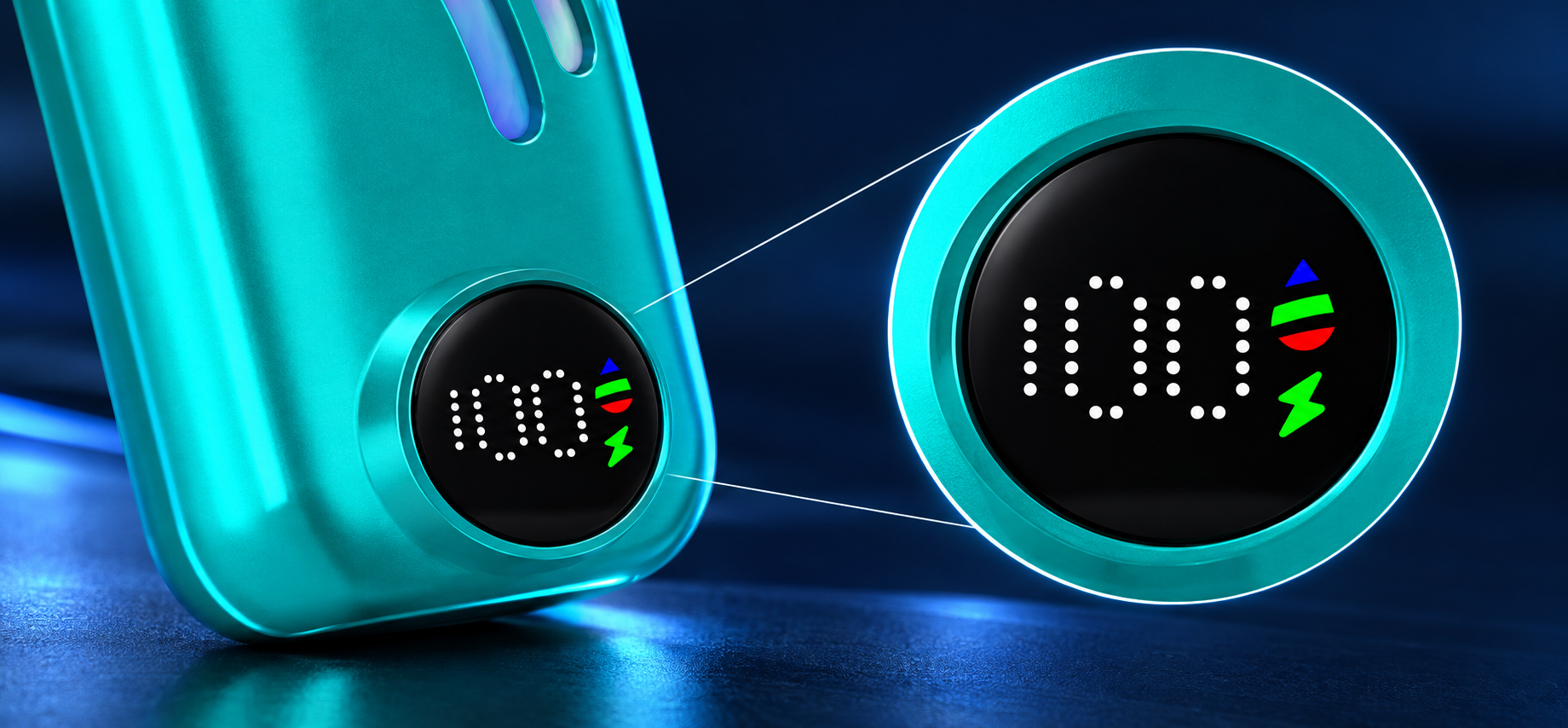
The e-liquid indicator is designed to show the remaining level of prefilled e-liquid. As the level decreases, the device may show a lower reading or a reduced indicator level.
The e-liquid indicator should be treated as an estimate, not an exact measurement. The remaining level can appear to change depending on how the device is held, how recently it was used, and how the liquid is distributed inside the device.
If the indicator is close to empty, avoid repeated back-to-back use to force more vapour from the device. Continued use after the e-liquid is exhausted can lead to a dry or burnt taste.
What to do when e-liquid is low
- Do not open or refill a sealed disposable device.
- Do not add another liquid to the device.
- Do not increase power to compensate for weak output.
- Stop using it if the taste becomes burnt, metallic, chemical, or unusually harsh.
- Dispose of the device through the appropriate local electronic waste or battery collection route.
A low e-liquid reading is not a reason to consume more nicotine. If the device no longer provides a normal experience, replacing it is safer than trying to force it to operate.
Battery level and e-liquid level are different
One of the most common mistakes is confusing the two indicators.
A device can have:
- A high battery level but very little e-liquid remaining
- A low battery level but plenty of e-liquid remaining
- Both levels reduced at the same time
- A display that appears abnormal because the device is damaged or malfunctioning
Charging the battery does not refill the e-liquid. Likewise, remaining e-liquid does not guarantee that the battery is safe or sufficiently charged.
Always read the battery and e-liquid indicators separately.
Why the display may not match your expectations
A display is helpful, but it may not change exactly when you expect. Several factors can affect what you see:
- The device has just been used
- The device is being held at a different angle
- The battery is close to a low-voltage protection point
- The display is updating after charging
- The device has been exposed to very hot or cold conditions
- The unit has been stored for a long time
- The device has been dropped or physically damaged
If the screen flickers, shows unusual symbols, becomes unreadable, or behaves differently from the user guide, stop using the device and contact the seller or manufacturer. Do not continue testing a device that is hot, leaking, or visibly damaged.
Does the MONSTAR 50K need charging?
The MONSTAR 50K is listed as a rechargeable high-puff device. The product information associated with the model identifies a rechargeable battery and USB charging connection. The exact charging instructions should always come from your packaging and regional user guide.
Do not assume that every cable, adapter, or power source is suitable. Follow the instructions supplied with your unit.
If the device does not charge:
- Check the cable for visible damage.
- Check whether the charging port is blocked by dirt or liquid.
- Try the manufacturer-recommended cable or power source.
- Stop immediately if the device becomes hot, smells unusual, or shows physical damage.
- Contact the seller if the problem continues.
Do not keep reconnecting a faulty device or leave it charging overnight.
What if the device tastes burnt but the battery is still full?
A full battery does not mean the device should continue to be used. If the e-liquid is low or the heating area is no longer receiving liquid correctly, the taste may become burnt even when the battery indicator is high.
A burnt taste, harsh chemical taste, or metallic taste is a reason to stop using the device. Do not solve the problem by increasing the power, blocking the airflow, or taking longer puffs.
What if the e-liquid indicator still shows liquid but the flavour is weak?
The indicator is only one part of the troubleshooting process. A weak flavour may also be related to:
- Low battery output
- Changes in airflow
- Repeated use without breaks
- Storage in extreme temperatures
- Individual changes in taste or smell
- A device fault
Take a break and check the battery and physical condition. If the flavour remains abnormal, do not continue using the device to test it.
If you are an adult user comparing MONVAPER models for a shop or retail range, you can review the available model information on the MONVAPER wholesale page. Availability, specifications and shipping options can vary by destination.
How to store the MONSTAR 50K safely
Store the device:
- In a cool, dry place
- Away from direct sunlight
- Away from heaters and hot vehicles
- Away from children and pets
- Away from water and other liquids
- In a position where it cannot be crushed or punctured
Do not leave a vape in a car during hot weather. Do not use a device that has been exposed to extreme heat, severe cold, water, or impact until the seller or manufacturer confirms that it is safe.
Frequently Asked Questions
How do I check the MONSTAR 50K battery level?
Check the battery icon or battery status shown on the device display. A lower reading means the device may need charging. Follow the charging instructions supplied with your unit.
How do I know when the MONSTAR 50K e-liquid is nearly empty?
Check the e-liquid indicator on the display. A low reading, reduced vapour, or dry or burnt taste may indicate that the device is near the end of its usable e-liquid supply.
Can I refill the MONSTAR 50K?
Do not open or refill a sealed disposable device unless the manufacturer specifically states that it is refillable. Adding liquid to a sealed device can create leakage, damage, or safety risks.
Can I keep using the device if the battery is full but the taste is burnt?
No. Stop using it if the taste is burnt, metallic, chemical, or unusually harsh. A full battery does not make an abnormal device safe to use.
Why does the battery indicator drop quickly?
Usage pattern, battery age, temperature, and device condition can affect the indicator. If the device becomes hot, damaged, or inconsistent, stop using it and contact the seller.
Can I use any USB charger?
Use the cable and charging method recommended by the manufacturer. Do not use damaged cables or force the connector into the port.
What should I do with an empty MONSTAR 50K?
Do not place it in ordinary household waste. Follow local rules for electronic devices and batteries, and use an appropriate collection or recycling point.
Is the MONSTAR 50K suitable for people under 21?
No. Nicotine products are for adults only. Keep the device and any nicotine products away from children and pets.
Final safety reminder
The MONSTAR 50K display is a practical status guide, not a guarantee that the device is safe under every condition. Check the battery and e-liquid indicators separately, follow the supplied instructions, and stop using the device if it leaks, overheats, becomes damaged, or produces an abnormal taste.
21+ only. This product contains nicotine. Nicotine is an addictive substance. Keep all nicotine products out of the reach of children and pets.